Guided tour
Step-by-step highlights on the real elements of your app.
Walk a reviewer through the real UI, ask your questions where the answer lives, and watch the whole session back. One script tag — no staging build, no screenshots in a doc.
Quick filters
Each pill narrows the list in place. You choose which ones stay pinned here.
A session is whatever combination you need. Add a tour, add questions, turn on recording — the reviewer sees one widget either way.
Step-by-step highlights on the real elements of your app.
Seven block types — text, score, range, yes/no, ship-it and more.
Reviewers leave notes on the page, with an optional recording.
Every visit played back with its console and network trail.
Build
Pick the elements you want walked through, write the step copy, and drag the order until it reads like a demo. The selector for each step is captured for you.
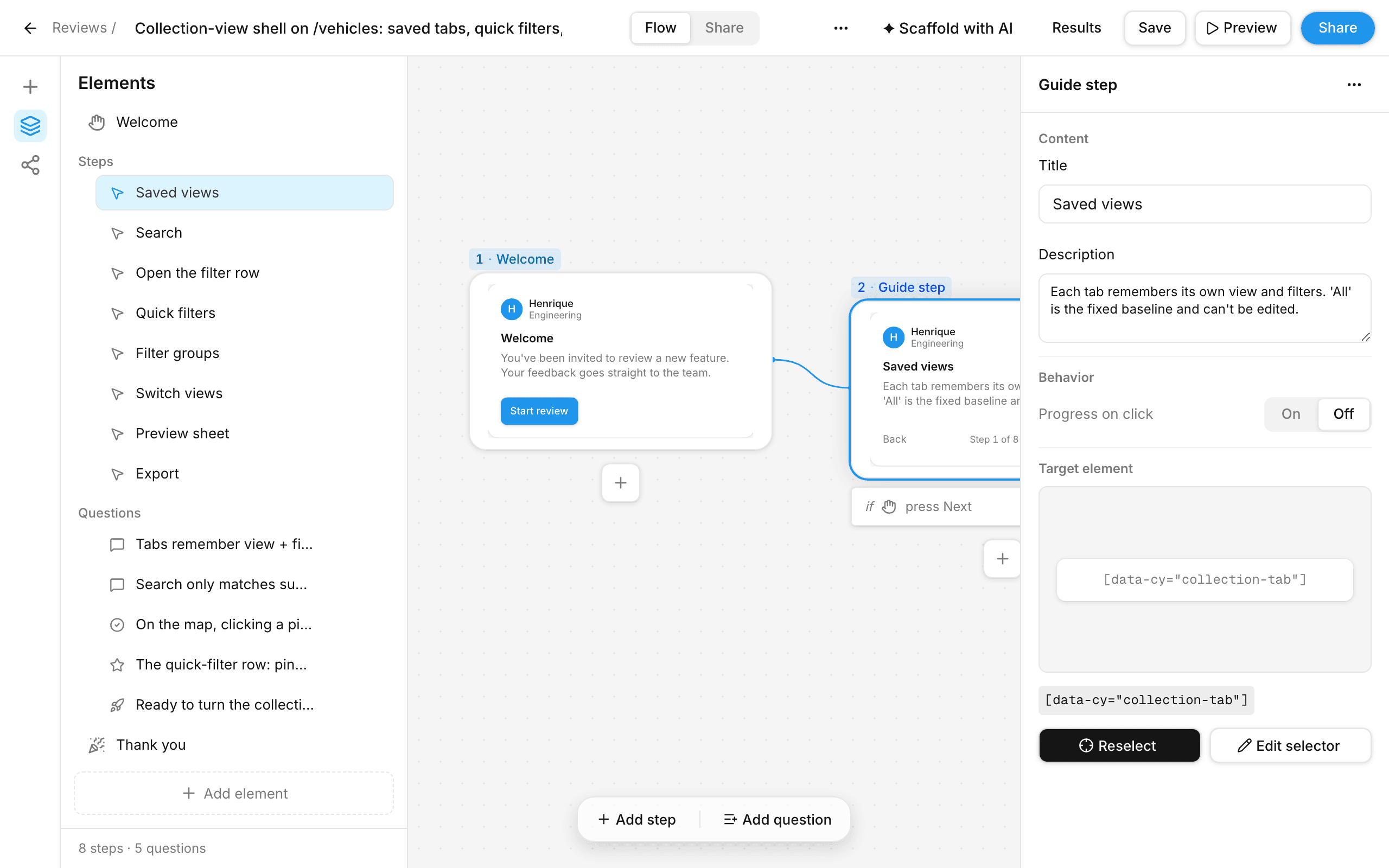
Collect
The widget rides along inside your product. The tour highlights the real UI, then the questions appear in the same panel — no second tab, no form to context-switch into.
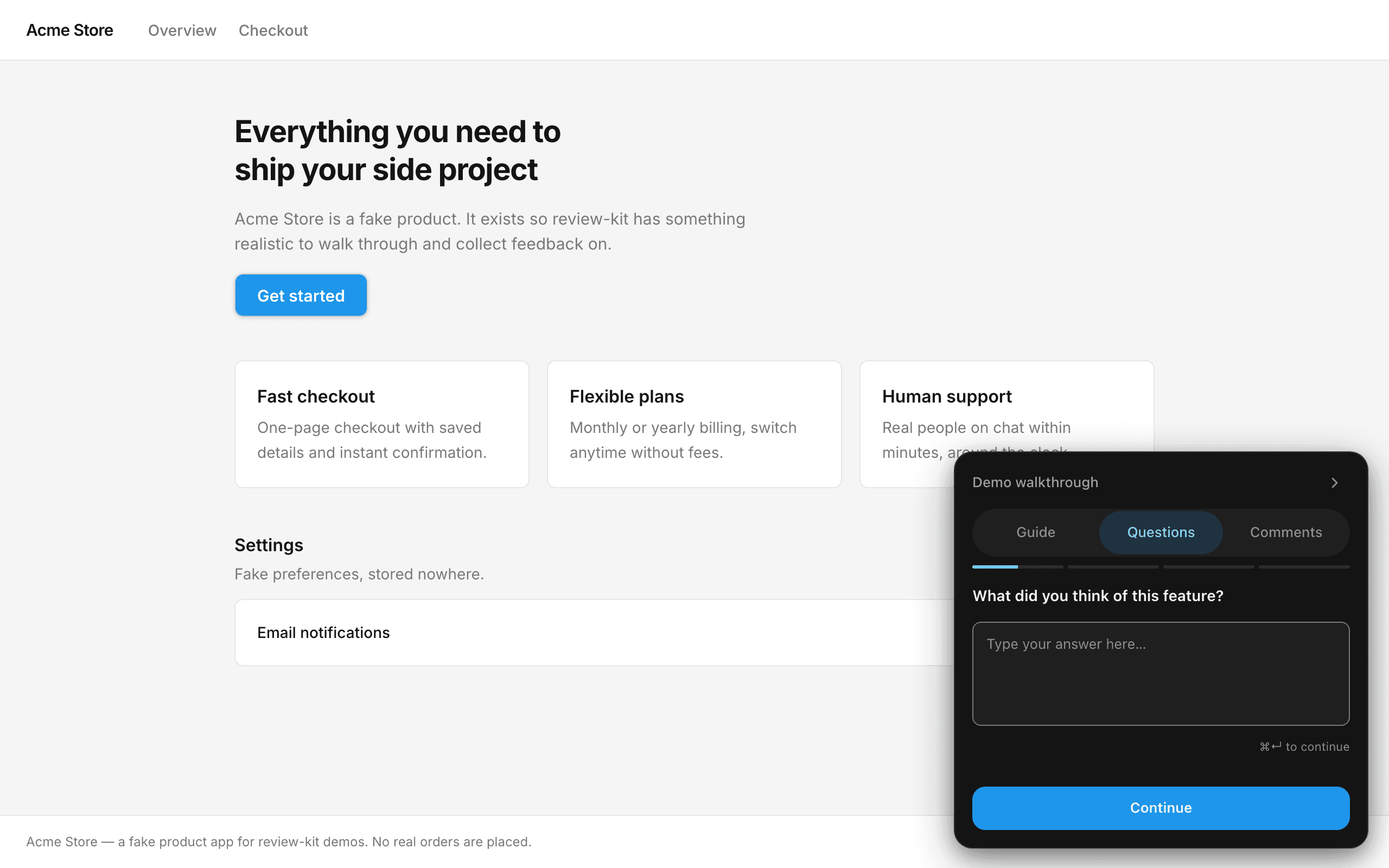
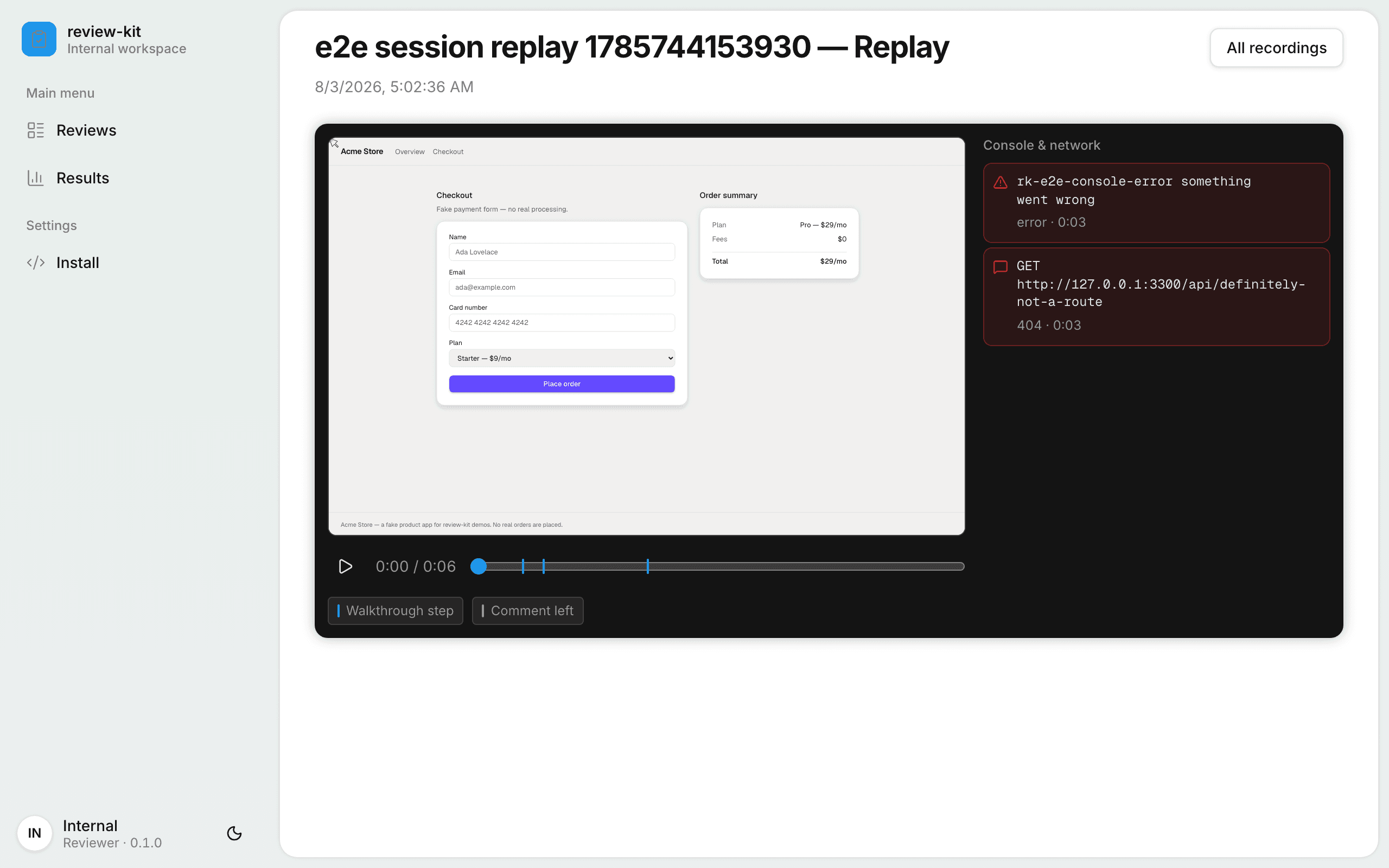
Watch
Every recorded visit replays as the reviewer saw it, with markers for each walkthrough step and each comment, and the console and network trail running alongside.
“Two people walked the flow before standup and I had the selector-level notes by the time I opened the PR.”
“The replay settled an argument in thirty seconds. The console error was right there next to the click.”
“Copy for agent, paste into the coding agent, done. No one retyped a single piece of feedback.”
No. Add one script tag before </body> in the app you want reviewed, pointing at wherever jogen is running. That is the whole install — the Install page in the dashboard prints the exact tag.
Yes, that is the normal case. The only requirement is that the machine running the target app can reach the jogen origin, and that an https target is served an https snippet — browsers block mixed content.
In a SQLite file next to the app, plus a videos folder for any recordings. Nothing leaves the machine you run it on and there is no external service in the loop.
No. They open a link, optionally type a name, and answer. Anonymous is the default, and the widget remembers where they stopped if they come back.
The DOM of the visit plus its console and network trail, so a replay can be scrubbed with the errors in view. Microphone and screen capture only ever start after the reviewer accepts the browser's own prompt.
Yes. Every results page has Copy for agent, which exports the session, its answers and its comments as Markdown you can paste straight into an agent prompt.
Set up a review in a couple of minutes and send the link. The next round of feedback arrives with the clicks attached.
jogen v0.1.0 · internal tool · runs on your machine